If your plan for an outage is “we have the grid,” you do not have backup power. You have normal electric service that can stop due to storms, equipment failures, and planned wildfire safety shutoffs (PSPS)
A solar battery gives you something the grid cannot promise during outages
- Automatic power for your selected circuits (or your whole home if designed that way)
- Quiet operation and no fuel storage
- The ability to recharge from solar during daylight, when configured correctly
In 2026, battery demand is being driven by a simple reality in California
- Outages are part of life in many areas, and PSPS can be planned but still disruptive (CPUC)
- Reliability varies by utility and circuit. For example, PG&E reports 2024 SAIDI around 276.4 minutes per customer and SAIFI around 1.832. SCE reports 2024 SAIDI around 158 minutes per customer (PG&E, SCE)
- SGIP can significantly reduce battery cost for eligible households, especially Equity and Equity Resilience categories (CPUC)
Why the grid is not backup power in California
The grid is a service, not a guarantee
Most days, the grid works. On the days it does not, you have zero control over
- When power returns
- Whether you will experience multiple outages in a short window
- Whether the outage is planned (PSPS) or unplanned
Utilities use standard reliability metrics like SAIDI and SAIFI to describe average outage duration and frequency, but your home experience depends on your local circuit, weather, and wildfire conditions (PG&E, SCE)
PSPS changes the risk profile
A Public Safety Power Shutoff is a proactive outage that utilities may use to reduce wildfire ignition risk from electric equipment. It is not a “grid failure.” It is a safety action, and it can happen even when the sky is blue (CPUC)
If you live in a wildfire-prone region, PSPS risk is one of the strongest arguments for reliable backup power
Solar battery vs the grid (the real comparison)
Here is the honest framing
- Grid-only: cheapest upfront, simplest, but gives you no resilience when power is cut
- Battery backup: upfront investment, but provides automatic power and more control
Quick comparison table
| Feature | Grid-only | Solar + battery backup |
|---|---|---|
| Works during outages | No | Yes (for backed-up loads) |
| Automatic switchover | No | Yes (when designed properly) |
| Runtime control | Not applicable | Depends on usable kWh and what you run |
| Noise and fumes | None | None |
| Fuel storage | None | None |
| Can reduce peak-hour grid purchases | No | Yes (often a major value driver) |
| Upfront cost | $0 | Medium to high (may be reduced by SGIP if eligible) |
How solar batteries work during an outage
Why solar alone shuts off when the grid goes down
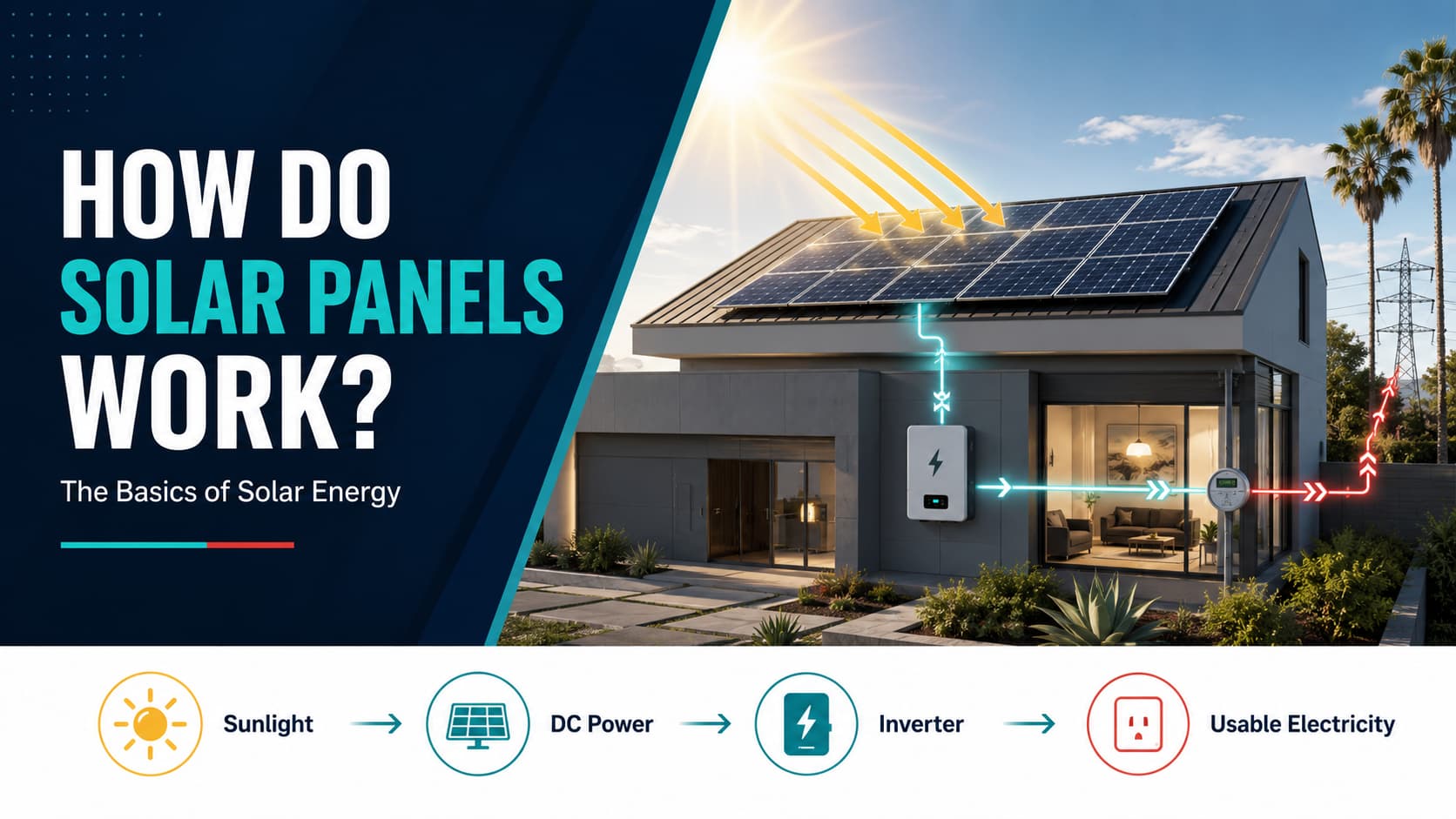
Most standard grid-tied solar systems shut down during an outage because they are designed to stop exporting power onto lines that utility crews may be repairing. This is a critical safety feature
So if you have solar panels but no battery, your solar system usually will not power your home during an outage
What changes with a battery
A solar battery system can create an “island” that separates your home from the grid during an outage
In simple terms
- The battery and inverter disconnect your home from the utility lines
- Your home runs on battery power
- If your system is configured for it, solar can recharge the battery during daylight
Two backup designs you will hear about
- Critical loads (partial-home) backup
Backs up only the circuits you choose, like fridge, outlets, lighting, Wi‑Fi, and sometimes a small HVAC strategy - Whole-home backup
Bigger design, more kW and more kWh, typically more batteries, often requires load planning and sometimes load shedding
Batteries vs generators (quick reality check)
Even though this guide focuses on batteries vs the grid, most homeowners also consider generators. Here is the practical comparison
| Backup option | Best for | Main tradeoffs |
|---|---|---|
| Solar + battery | Clean, quiet, automatic backup for essentials and many comfort loads | Higher upfront cost; runtime depends on capacity and load choices |
| Generator | Long runtime and whole-home power when fuel is available | Fuel storage; noise; emissions; maintenance; often manual operation |
| Hybrid (battery + generator) | Fast switchover plus multi-day endurance | Higher system complexity and cost |
If you want a simple rule
- If your priority is clean and automatic backup, start with a battery
- If your priority is multi-day whole-home power no matter what, consider a hybrid approach
What a battery can power (and what drains it fast)
This is the part that should guide your buying decision
The best “battery loads”
These are common critical loads that give a lot of comfort per kWh
- Refrigerator and freezer
- Wi‑Fi router and modem
- Lighting (especially LED)
- TVs, laptops, phone chargers
- Garage door opener
- Small kitchen loads (microwave used occasionally)
- Medical devices (case by case)
Loads that drain batteries fast
These loads are possible in some designs, but they require more capacity and careful planning
- Central air conditioning
- Electric oven and electric resistance heat
- Electric water heaters (resistance type)
- EV charging
A realistic “critical loads” energy budget
Every home is different, but these rough ranges are useful for planning
- Fridge and freezer: often 1 to 3 kWh per day (varies by model and temperature)
- Wi‑Fi and small electronics: often 0.2 to 1 kWh per day
- Lighting: often 0.3 to 2 kWh per day depending on habits
- Cooking with induction: can be efficient, but daily kWh varies widely by use
If you build a critical-load plan around roughly 5 to 10 kWh per day, many battery systems can provide meaningful runtime, especially if solar recharges during the day
kW vs kWh (the one concept that prevents expensive mistakes)
Homeowners often hear “battery size” and think it is one number. It is two numbers
- kW (power): how much your battery can deliver at one moment
This matters for starting loads and running multiple devices at the same time - kWh (energy): how much stored electricity you have in total
This determines how long you can run your home during an outage
A simple analogy
- kW is the size of the hose
- kWh is the size of the water tank
You need enough of both
How to size battery backup in 2026 (step by step)
Step 1: Choose your backup level
Pick one. This controls everything else
- Essentials backup
Fridge, Wi‑Fi, lights, outlets, garage door, basic device charging - Essentials + comfort backup
Adds more circuits, maybe a few rooms of cooling strategy, more convenience loads - Whole-home backup
Designed to power most of the home, often with load control to prevent overloads
Step 2: List your critical loads and estimate daily energy
Use this simple worksheet approach
- Watts × hours per day = watt-hours per day
- Divide by 1,000 = kWh per day
Example
- 150 W fridge average × 10 hours compressor runtime = 1,500 Wh = 1.5 kWh
- 20 W Wi‑Fi × 24 hours = 480 Wh = 0.48 kWh
- 100 W lighting × 6 hours = 600 Wh = 0.6 kWh
Total daily energy: 2.58 kWh per day
Now add real-life buffers
- Add 20% for unpredictability
- Add more for heat waves when the fridge works harder
Step 3: Decide how long you want to ride through an outage
California outages vary
- Short outages: a few hours
- PSPS and major events: longer windows
Pick a target like
- 8 hours
- 24 hours
- 48 hours
- Multi-day with solar recharge strategy
Step 4: Convert to required usable kWh
Formula
- Daily kWh need × number of days = total kWh required
Then add a reserve
- Many homeowners plan for 80% usable and keep a buffer
Step 5: Check surge power and simultaneous loads
This is where many systems fail expectations
- A fridge has a starting surge
- A well pump or sump pump can have a large starting surge
- HVAC loads can be heavy and may require special planning
A good installer designs the backup panel and inverter strategy around your actual surge profile
How many batteries do you need (simple starting points)
Exact answers require your loads, but these are useful planning ranges
Essentials backup (most common)
- Often in the 10 to 15 kWh usable range, depending on how many circuits you include
- Great for: fridge, Wi‑Fi, lighting, outlets, basic electronics
Essentials + comfort
- Often in the 20 to 30 kWh usable range
- Great for: larger homes, more circuits, longer runtime targets
Whole-home backup
- Often 30 kWh and up, sometimes much more depending on AC strategy and total loads
Important
- If you want to run central AC for long durations, plan for significantly more capacity or a hybrid strategy
Runtime examples (what backup looks like in real life)
These examples assume conservative usage and are meant to illustrate how load choices matter
Scenario A: Essentials backup, careful usage
Typical backed-up loads
- Fridge and freezer
- Wi‑Fi and charging
- A few LED lights
- Some outlets
Daily energy: about 5 to 8 kWh per day
What to expect
- A single-battery system may cover a short outage and can stretch longer with smart usage
- Multi-battery systems can cover longer windows, especially when solar recharge is available
Scenario B: Comfort backup with higher evening use
Adds
- More lighting and outlets
- Entertainment and office equipment
- Possibly microwave use and more kitchen loads
Daily energy: about 10 to 15 kWh per day
What to expect
- Multi-battery designs become more important
- Solar recharge during the day can make a big difference
Scenario C: Whole-home expectations with AC
Adds
- Central AC or heavy cooling strategy
Daily energy can climb quickly, especially during heat waves
What to expect
- You need more kWh capacity, more inverter power, and an honest load plan
- A hybrid strategy may be the right answer for long outages
The California advantage in 2026: SGIP rebates (in plain English)
SGIP is California’s Self-Generation Incentive Program, designed to lower the cost of distributed energy resources like battery storage
The most important categories for homeowners
- Equity: incentives that can be very large per kWh
- Equity Resilience: even higher incentives for qualified customers who face wildfire and medical vulnerability risks
The CPUC explains that eligible customers can receive $850 per kWh under Equity or $1,000 per kWh under Equity Resilience, and notes this can make storage “almost, if not completely, free of cost” for some customers (CPUC)
Reality check
- Funding is limited and can be reserved quickly
- Eligibility depends on territory, household status, and program rules
- The paperwork matters, and your contractor’s process matters
If SGIP is part of your plan, you want to check eligibility early, not after you sign
Batteries are not just for outages (why many homeowners add them anyway)
Backup is the emotional driver, but in California, batteries can also deliver ongoing value
- Reduce peak-hour grid purchases under time-of-use pricing
- Store solar energy for evening use
- Provide bill control when rates rise
This matters in 2026 because many homeowners are looking for both resilience and cost stability
Common mistakes to avoid
- Buying based on “battery count” instead of your kWh and kW needs
- Not planning the backup panel
A great battery still disappoints if the wrong circuits are backed up - Assuming solar will run during an outage without storage
- Forgetting about surge loads
Pumps and compressors matter - Waiting for an emergency
Emergency replacements force compromises on equipment and design
FAQ
Does solar work during an outage
Usually not by itself. Most grid-tied solar shuts down when the grid is down for safety. Solar plus battery systems can be designed to run backed-up loads during an outage
Can a battery power my air conditioner
Sometimes, but it depends on your AC type, starting surge, inverter power, and how long you want it to run. Central AC for long durations typically requires larger storage designs and careful planning
Can the battery recharge from solar during an outage
If your system is configured for solar charging in island mode, yes. This is one of the biggest advantages of solar plus storage versus a standalone battery
Is whole-home backup always better
Not always. Many homeowners get better value from a well-designed critical loads system that keeps the home livable and safe during outages
How do I know if I qualify for SGIP
Eligibility depends on program category rules and your situation. If you live in high fire-risk regions, experience PSPS, or have medical baseline needs, you may qualify for Equity Resilience. Check the CPUC SGIP resources and work with an installer who understands the process (CPUC)
Bottom line (what to do next)
If you want reliable backup power in California in 2026, you need to choose your backup level and design around it
- Essentials backup is often the best starting point for most families
- Whole-home backup is possible, but needs honest load planning
- Solar plus battery gives you automatic resilience and the ability to recharge during the day
- SGIP can change the economics dramatically for eligible homeowners
Sources
CPUC SGIP participation page (Equity $850 per kWh, Equity Resilience $1,000 per kWh)
https://www.cpuc.ca.gov/industries-and-topics/electrical-energy/demand-side-management/self-generation-incentive-program/participating-in-self-generation-incentive-program-sgip
CPUC PSPS explanation
https://www.cpuc.ca.gov/psps/
PG&E reliability reports (includes 2024 SAIDI and SAIFI overview)
https://www.pge.com/en/about/pge-systems/electric-systems/electric-reliability-reports.html
SCE reliability reports (includes 2024 SAIDI overview)
https://www.sce.com/outages-safety/outage-center/reliability-reports